You can set your touring hours in Yardi CRM using the Calendar. Within the Calendar, you can also add property blackouts for times when you don’t want tours to be scheduled.
To do this:
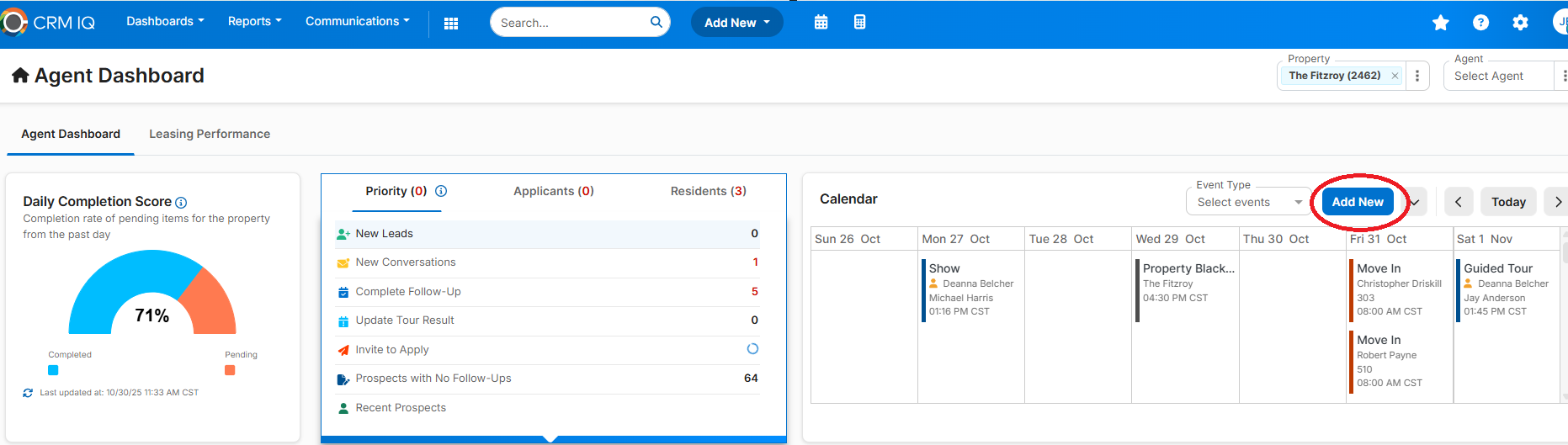
- Click the blue “Add New” button.
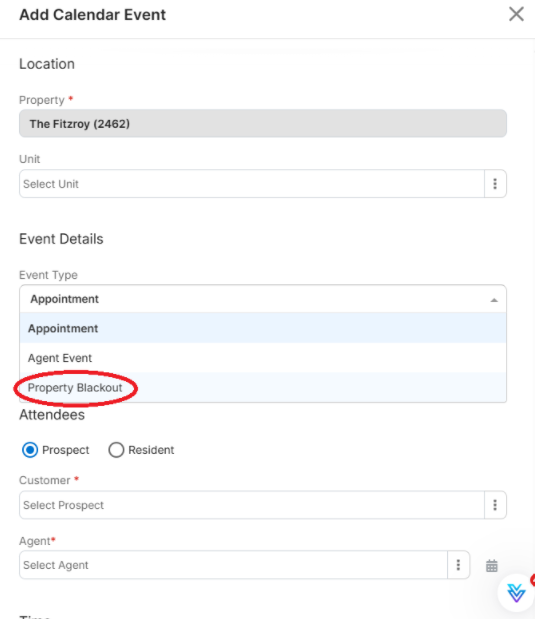
- The "Add Calendar Event" will then display.
- Select “Property Blackout” from the Event Details dropdown.
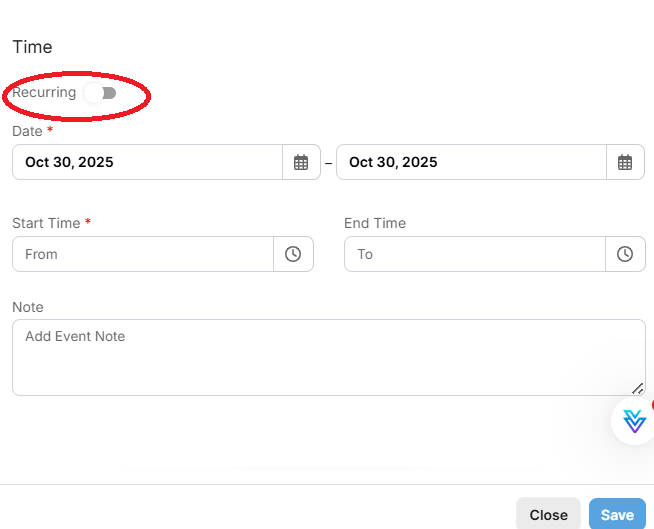
- Set a one-time or recurring blackout to prevent appointments from being scheduled during those times.
You can also type in "Calendar and Appointment Settings Overview" from the Yardi Virtuoso bot for more info ?
See the screenshots below for reference:
Was this article helpful?
That’s Great!
Thank you for your feedback
Sorry! We couldn't be helpful
Thank you for your feedback
Feedback sent
We appreciate your effort and will try to fix the article