When entering invoices in Procure to Pay as a batch or individually, make sure the Details section of the IR (seen below) includes the property/properties in question. When this is not completed, the invoice will not appear normally on your dashboard. This can also result in the system recognizing the Invoice as a duplicate when attempting to reenter.
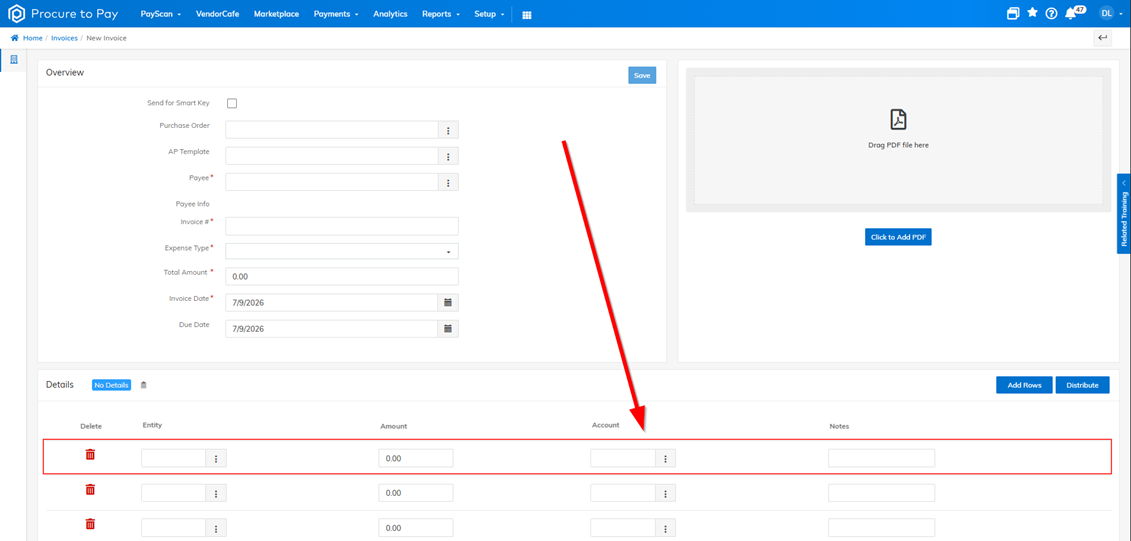
Remember to always complete the Details portion (see above).
Was this article helpful?
That’s Great!
Thank you for your feedback
Sorry! We couldn't be helpful
Thank you for your feedback
Feedback sent
We appreciate your effort and will try to fix the article